

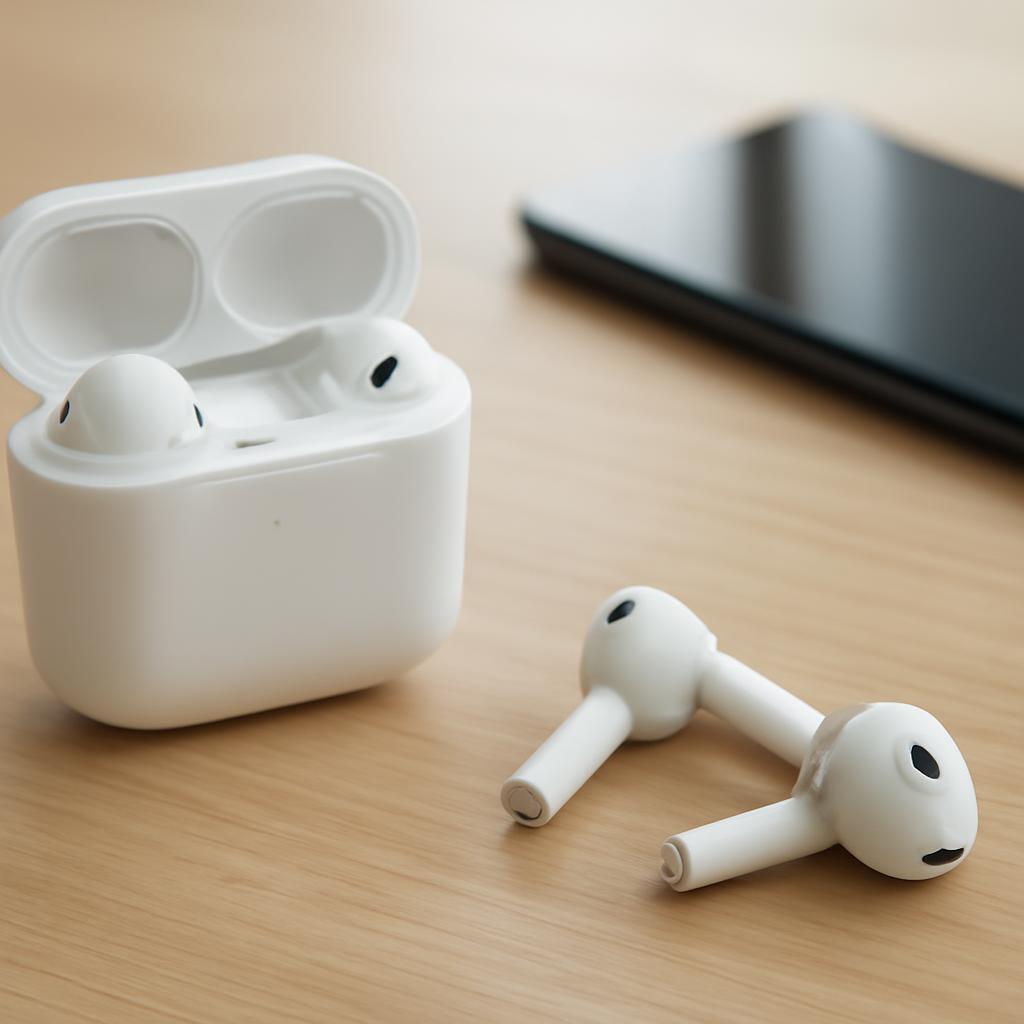
Wireless Earbuds Buying Guide
Key Takeaways
- Identify your primary use case (commuting, sport, home office) before checking specs.
- Prioritize battery life and charging method; a 5‑hour true‑wireless run plus a 20‑hour case reserve is a solid baseline.
- Match driver size and tuning to the music genres you listen to most.
- Test fit with ear‑tip kits; a secure seal improves sound and noise isolation.
- Compare price against feature set using a quick decision matrix.
—
1. Define Your Core Scenario
Write down where you’ll wear the earbuds most often.
- Commute & public transport: Look for active‑noise cancellation (ANC) and a compact case that fits a pocket.
- Gym or outdoor runs: Choose sweat‑resistant shells, secure ear‑hooks, and low latency for video streaming.
- Work‑from‑home calls: Prioritize a clear microphone and seamless multi‑device pairing.
Having this list narrows the spec pool dramatically.
2. Set Minimum Battery Requirements
Calculate daily usage. If you listen 6 hours a day, aim for at least 8 hours of earbud playback plus a case that adds another 20 hours.
| Model | Earbud Play Time | Case Total | Quick Charge (min) |
|---|---|---|---|
| Apple AirPods Pro 2 | 6 h | 30 h | 5 min = 1 h |
| Sony WF‑1000XM4 | 8 h | 24 h | 10 min = 1 h |
| Anker Soundcore Life P3 | 7 h | 35 h | 5 min = 1 h |
| Jabra Elite 7 Pro | 8 h | 28 h | 15 min = 2 h |
Pick the row that meets or exceeds your daily need.
3. Evaluate Sound Profile
- Driver size: 6 mm drivers deliver balanced mids; 10 mm drivers give stronger bass.
- Codec support: If you stream via Apple Music or Spotify Hi‑Fi, look for AAC or LDAC support.
- Tuning: Brands often label “Bass Boost,” “Neutral,” or “Vocal.” Test each with your favorite track before buying.
4. Check Fit & Comfort
Most premium earbuds ship with three‑size silicone tips plus a foam option.
- Perform the “water‑drop test”: place the earbud in your ear, press gently; if it stays, you have a seal.
- For runners, consider models with wings or ear‑hooks (e.g., Beats Fit Pro).
5. Confirm Connectivity Features
- Bluetooth version: 5.2 offers lower latency and better range than 5.0.
- Multipoint pairing: Enables simultaneous connection to phone and laptop—handy for video calls.
- App support: Some brands provide EQ presets via a companion app; check if you need that level of control.
6. Compare Prices Against Feature Sets
Create a quick score: assign 1‑5 points for battery, sound, fit, connectivity, and price. Add them up; the highest total wins.
Example calculation for three popular picks:
| Model | Battery (5) | Sound (5) | Fit (5) | Connectivity (5) | Price (5) | Total |
|---|---|---|---|---|---|---|
| AirPods Pro 2 | 4 | 5 | 4 | 5 | 2 | 20 |
| Sony WF‑1000XM4 | 5 | 5 | 4 | 4 | 3 | 21 |
| Anker Life P3 | 4 | 3 | 3 | 3 | 5 | 18 |
Sony edges out on overall value despite a higher sticker price.
7. Read Real‑World Reviews
Visit the Best Wireless Earbuds Worth Buying for Every Budget page for hands‑on impressions. Look for comments about durability after a month of use; that’s often more telling than lab specs.
8. Make the Purchase
- Choose a retailer with a 30‑day return policy.
- Verify the warranty length (usually 1 year).
- If you’re buying online, add a protective case if it’s not included.
—
Frequently Asked Questions
Q: What is the difference between ANC and passive noise isolation?
A: ANC uses microphones and digital processing to cancel ambient sound, effective for low‑frequency hums like airplane engines. Passive isolation relies on a tight seal in the ear canal, blocking higher frequencies. Combining both gives the best overall quiet. Related: Which earbuds have the best ANC? | How does ear‑tip size affect isolation?
Q: How to tell if an earbud’s battery health is degrading?
A: Most companion apps display cycle count or remaining capacity. If you notice a drop from 8 hours to 5 hours after a few months, the battery may need replacement or the earbuds are nearing end‑of‑life. Related: Can I replace earbuds’ batteries? | What warranty covers battery issues?
Q: Which codecs should I prioritize for Android phones?
A: Look for LDAC, aptX‑HD, or AAC support. LDAC offers up to 990 kbps, delivering near‑lossless audio on compatible Samsung devices. Related: How to enable LDAC on Android? | Does iPhone support aptX?
Q: Are true‑wireless earbuds safe for sleeping?
A: Sleeping with earbuds can cause ear canal irritation if they don’t fit snugly. Opt for low‑profile models with soft silicone tips, and limit use to short naps rather than full nights. Related: Which earbuds are marketed for sleep? | Can earbud use affect hearing?
Q: When is it worth paying over $200 for earbuds?
A: If you need premium ANC, seamless multi‑device switching, and a high‑resolution codec stack, the extra cost often translates to measurable convenience and sound quality. For casual listening, mid‑range models suffice. Related: What features justify a high price? | Are there budget earbuds with good ANC?
Q: Can I use wireless earbuds with a PC for gaming?
A: Yes, but check for low‑latency modes (often called “Gaming Mode”) and ensure the Bluetooth adapter supports aptX‑Low Latency. Wired headsets still hold the edge for competitive play. Related: Which earbuds have the lowest latency? | How to set up Bluetooth audio on Windows?
—
Final note: Follow this step‑by‑step checklist whenever you start a new wireless earbuds buying guide search, and you’ll land on a pair that fits your lifestyle, budget, and sound preferences.












Discussion about this post