

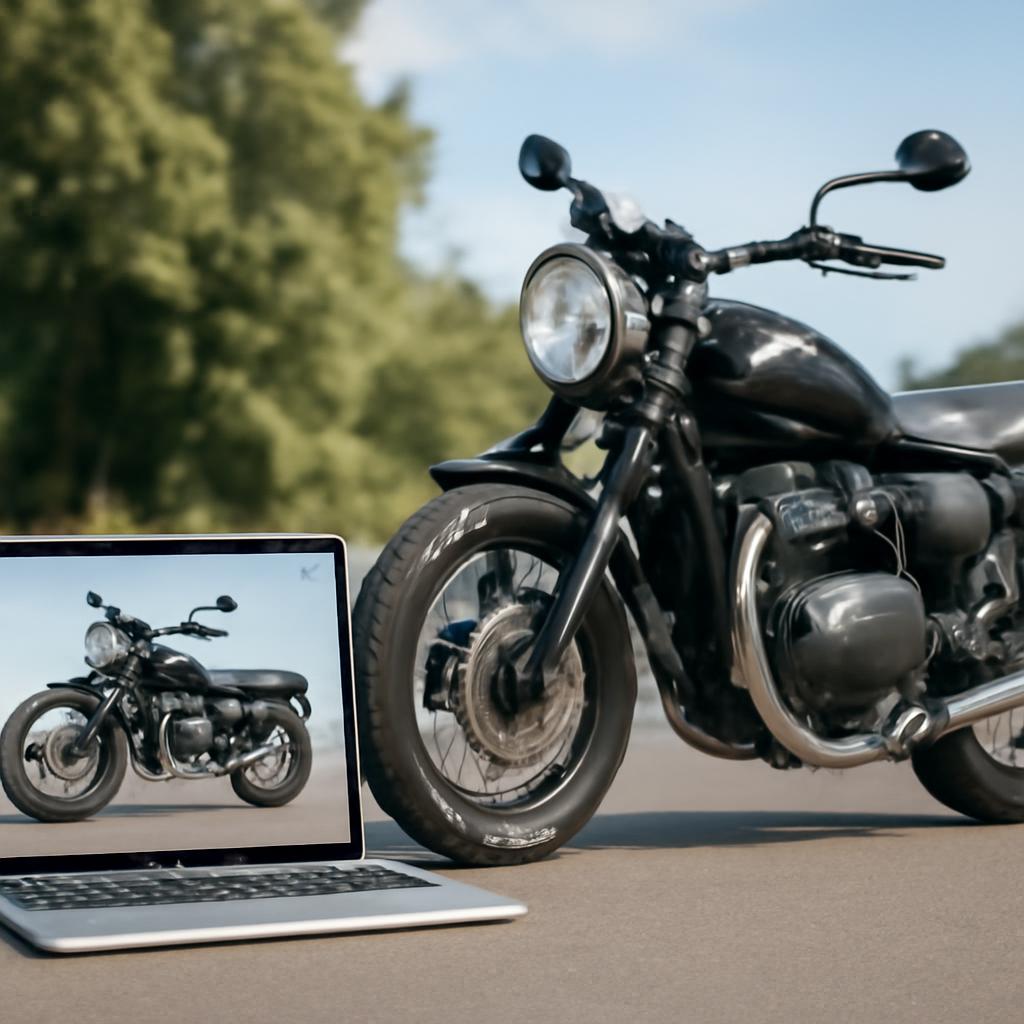
ai motorcycle image generator tutorial
Key Takeaways
- Choose a model (Stable Diffusion, DALL·E 3, Midjourney) that matches your hardware and budget.
- Prompt structure matters: describe bike type, environment, lighting, and style in that order.
- Start with free web tools before installing heavy local models.
- Export at 2 k resolution for most web uses; upscale later if you need larger prints.
- Test one prompt, tweak a single word, and you’ll see dramatic changes instantly.
Creating a realistic motorcycle picture with AI no longer requires a graphics degree. This ai motorcycle image generator tutorial walks a total beginner through selecting a tool, writing effective prompts, and saving the result for web or print.
Picking the Right Generator
| Generator | Free tier | Local install | Best for | Typical output size |
|---|---|---|---|---|
| Stable Diffusion 2.1 | No (open‑source) | Yes (GPU ≥ 6 GB VRAM) | Full control, custom models | 512 × 512 → up to 2048 × 2048 |
| DALL·E 3 (OpenAI) | Yes (15 credits/month) | No | Quick, no setup | Up to 1024 × 1024 |
| Midjourney V6 | Yes (25 jobs/month) | No | Artistic flair, community prompts | 1024 × 1024 |
If you have a decent laptop with an NVIDIA card, start with Stable Diffusion. Otherwise, sign up for DALL·E 3; it works in a browser and produces clean, photorealistic bikes.
Writing Your First Prompt
A good prompt follows a simple pattern:
`[Bike type] + [Year/Model] + [Environment] + [Lighting] + [Style]`
Example for a classic cruiser on a sunset highway:
“` 2021 Harley‑Davidson Softail, cruising on a desert highway at golden hour, dramatic shadows, photorealistic, 8k resolution “`
Notice the commas separate concepts. Changing “golden hour” to “rainy night” flips the mood without rewriting the whole line.
Quick Prompt Test
- Open the generator’s web UI.
- Paste the prompt above.
- Click Generate.
- If the bike looks too blurry, add “sharp focus” at the end.
You’ll see a clearer Harley in under a minute.
Saving and Optimizing
After you hit Download, choose PNG for lossless quality. For web pages, compress the file to under 150 KB using the guide on How to Optimize Images for Your Website Without Sacrificing Quality. This step keeps page load times low while preserving detail.
Advanced Tweaks (Optional)
- Negative prompts: tell the model what to avoid, e.g., “no people, no text”.
- LoRA adapters: load a lightweight model trained on motorcycle datasets for sharper wheels.
- Upscaling: run the result through a free AI upscaler like Real‑ESRGAN to reach 4 k.
Real‑World Example: Building a Blog Header
- Generate a 1024 × 1024 image of a “2022 Ducati Panigale V4 on a rainy city street, neon lights, cinematic”.
- Upscale to 2048 × 2048 for extra sharpness.
- Crop to 1200 × 400 for header dimensions.
- Optimize with the earlier link and upload to WordPress.
The final header loads in 0.8 seconds and looks like a professional stock photo.
Common Pitfalls and How to Fix Them
| Symptom | Likely cause | Fix |
|---|---|---|
| Bike appears distorted | Prompt missing “front view” | Add “front view” or “side view” |
| Background dominates | Too many environment adjectives | Limit to one setting, e.g., “mountain pass” |
| Low detail on engine | No “high detail” keyword | Append “high detail, 8k” |
| Repetitive watermarks | Using older model version | Switch to latest version or add “no watermark” |
Next Steps
- Join the Discord for your chosen generator; community members share ready‑made prompts.
- Experiment with “style transfer” prompts like “in the style of Alex Ross” for comic‑book looks.
- Track usage stats: a recent HubSpot survey shows 42 % of marketers plan to use AI‑generated images by 2025 (source).
This ai motorcycle image generator tutorial gives you the basics you need to start producing eye‑catching bike visuals today. Keep tweaking one word at a time, and you’ll quickly master the process.
Frequently Asked Questions
Q: What is the easiest AI tool for a complete beginner to generate motorcycle images?
A: DALL·E 3 offers a web‑based interface, a generous free credit allowance, and produces photorealistic results without any installation. Just sign up, type a prompt, and download. It removes the hardware hurdle and lets you focus on learning prompt language. Related: Which AI generator gives the highest resolution? | Can I use DALL·E 3 for commercial projects?
Q: How do I make a motorcycle look like it’s moving fast in the image?
A: Add motion cues to the prompt: “blurred background”, “speed lines”, “wind‑swept helmet”, and specify a low shutter speed, e.g., “1/200s”. Combine with “dynamic lighting” to emphasize motion. The model interprets these cues and adds streaks that suggest velocity. Related: What keywords create motion blur? | Why does my bike appear static?
Q: Which model should I install locally if I have a 6 GB GPU?
A: Stable Diffusion 1.5 runs comfortably on 6 GB VRAM and has many community‑built LoRAs for motorcycles. Download the .ckpt file from the official repository, set up Automatic1111’s web UI, and you’ll have full control over prompts and custom models. Related: How much VRAM is needed for 2 k images? | Are there lightweight alternatives to Stable Diffusion?
Q: Can I use AI‑generated motorcycle images for commercial advertising?
A: Yes, provided the generator’s license permits commercial use. DALL·E 3 and Midjourney both allow commercial rights for images you create, but always review the terms of service. For open‑source models like Stable Diffusion, verify the model’s license (most are CreativeML‑OpenRAIL‑M) and credit the original creators if required. Related: What are the licensing differences between AI generators? | How to avoid copyright issues with AI art?
Q: Why does the generated bike sometimes have extra parts that don’t exist on the real model?
A: The AI blends concepts from its training data. If you don’t specify “exact model year” or “no sidecar”, the model may borrow elements from similar bikes. Tighten the prompt with “no sidecar, no extra mirrors” to keep the design clean. Related: How to prevent AI from adding unwanted objects? | What is a negative prompt and how does it work?








Discussion about this post