

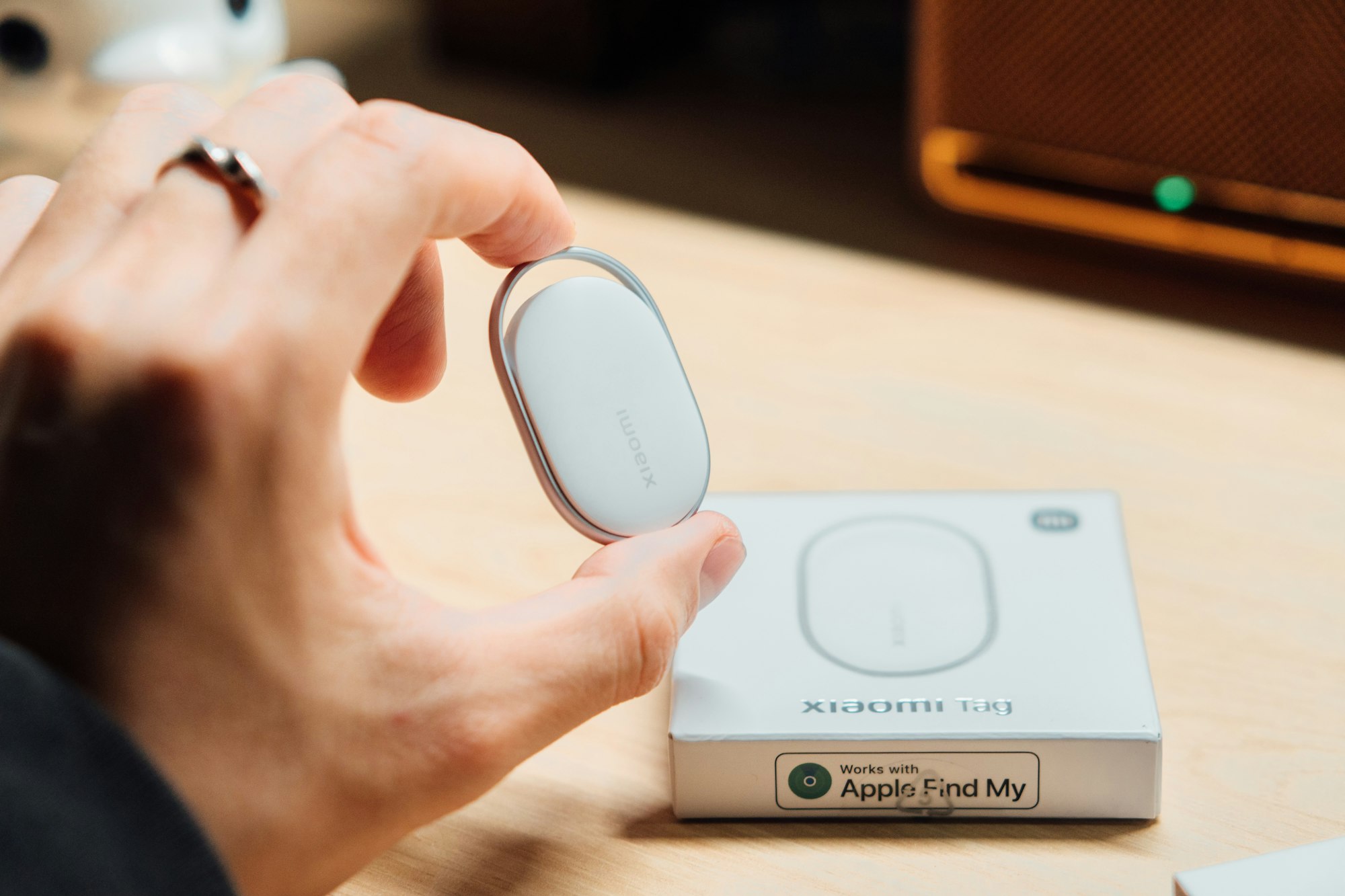
Here’s a common assumption that isn’t true: that any small Bluetooth tracker will work the same way, with the same reliability, no matter whose phone is looking for it. In reality, the tracker you pick locks you into one of several separate networks, and picking the wrong one for your phone can mean the difference between finding a lost bag in minutes and never seeing a location update at all.
Why the Network Matters More Than the Tracker Itself
A Bluetooth tracker doesn’t have GPS or its own cellular connection — it’s a small chip that broadcasts a low-power signal, and any nearby phone running the right app silently reports its location back to you. That only works at scale because millions of other people’s phones are doing the same reporting in the background without their owners noticing, which means a tracker is only as good as the network of phones detecting it. Apple’s trackers ride on Apple’s own network of devices. Google’s ride on Android’s. And a couple of brands, notably Tile, still run their own separate network that neither Apple nor Google phones contribute to by default.
Apple’s AirTag and the Find My Network
Apple’s current AirTag, refreshed in January 2026, is built around Apple’s Find My network — over a billion Apple devices worldwide that anonymously relay an AirTag’s location whenever they pass near one. The newer generation added a second-generation Ultra Wideband chip for 50 percent farther Precision Finding, a 50 percent louder speaker for audio-based searching, and expanded cross-platform alerts that warn Android users too if an unfamiliar AirTag is traveling with them — an anti-stalking feature Apple built in from the very first version. A single AirTag runs $29, or $99 for a 4-pack, and the battery lasts over a year on a standard, user-replaceable coin cell. The catch is straightforward: it’s built for iPhone owners, and while Android users can detect an unwanted AirTag nearby, they can’t use one as their own primary tracker with the same finding experience.
Android’s Answer: Google’s Find Hub Network
Google’s equivalent, now branded Find Hub (formerly Find My Device), works similarly but runs on Android’s much larger and more fragmented device base. Since a 2024 expansion, ordinary Android phones crowdsource location data for the network the same way Apple devices do, and third-party trackers from brands like Chipolo and Pebblebee plug into it through Google’s Fast Pair technology rather than requiring their own proprietary app. Google and Apple also coordinated on a shared technical standard so that an unknown Find Hub tracker triggers an alert on an iPhone, and an unknown AirTag triggers one on Android — closing a safety gap that existed when the two networks launched separately.
Samsung’s Galaxy SmartTag
Samsung runs a variation on the same idea through its own SmartThings Find network, which overlaps with but isn’t identical to Google’s broader Find Hub network. The current Galaxy SmartTag2 leans hard into battery life — up to 500 days in normal mode or 700 days in a power-saving mode — and adds Ultra Wideband-based Compass View directional finding on compatible Galaxy phones, plus an NFC-based lost mode that lets a stranger who finds your item scan it and see your contact details without opening an app. It’s the strongest option specifically for Samsung households, less so if your family mixes Android and iPhone.
Where Tile Fits (and Its Real Limitation)
Tile, now owned by Life360, sells a lineup — Mate, Pro, Slim, and Sticker — running roughly $20 to $35 depending on the model, and it was genuinely first to popularize this whole category years before AirTag existed. Its real limitation today is the network: Tile trackers rely on the separate Tile-and-Life360 app network rather than Apple’s Find My or Google’s Find Hub, so a lost item only gets found by another phone that happens to have the Tile or Life360 app installed nearby. That network is real but meaningfully smaller than Apple’s or Google’s built-in device base, which is the main reason Tile has lost ground since both phone platforms built tracking directly into their operating systems.
How to Choose the Right One
The right pick comes down to whichever phone platform you and the people around you actually use, more than any spec sheet. An iPhone household gets the most consistent experience from an AirTag; an Android household — especially a mixed-brand one — is generally better served by a Find Hub-compatible tracker like a Chipolo or Pebblebee; and an all-Samsung household can lean into the SmartTag2’s longer battery life and UWB precision. If you’re weighing a tracker alongside other everyday gear, it’s worth browsing it next to the rest of what’s in our roundup of tech gadgets worth trying or our affordable gadget picks, since a tracker is the kind of small accessory that pairs naturally with the wearables in our smart wearables guide or an order you’re already placing.
FAQs
Can an AirTag work with an Android phone?
Not as your own tracker. Android phones can detect and get alerted about an unwanted AirTag nearby thanks to the cross-platform safety standard, but you can’t use Android’s Find Hub app to actively locate your own AirTag the way an iPhone owner can.
Do Bluetooth trackers need their own subscription?
No, the core finding features on AirTag, SmartTag2, and Google Find Hub-compatible trackers work without a subscription. Some Tile plans offer optional paid extras like a longer warranty or location history, but basic finding is free across all of these.
How does a Bluetooth tracker get found if it’s out of Bluetooth range of my own phone?
It relies on other people’s phones. Any nearby device on the same network — Apple’s Find My, Google’s Find Hub, or Tile’s own app — detects the tracker’s Bluetooth signal and anonymously reports its location back to you, without that other person doing anything or even knowing it happened.
Can someone use a tracker to secretly follow me?
All the major networks now include unwanted-tracker alerts specifically to prevent this — both Apple and Android devices will notify you if an unfamiliar tracker appears to be traveling with you for an extended period, regardless of which platform made it.
How long does a Bluetooth tracker’s battery actually last?
It varies by model: AirTag rates over a year on its replaceable coin-cell battery, while Samsung’s SmartTag2 claims up to 500 days in normal mode and 700 days in its power-saving mode. Actual battery life depends on how often the tracker is queried for its location.








Discussion about this post