

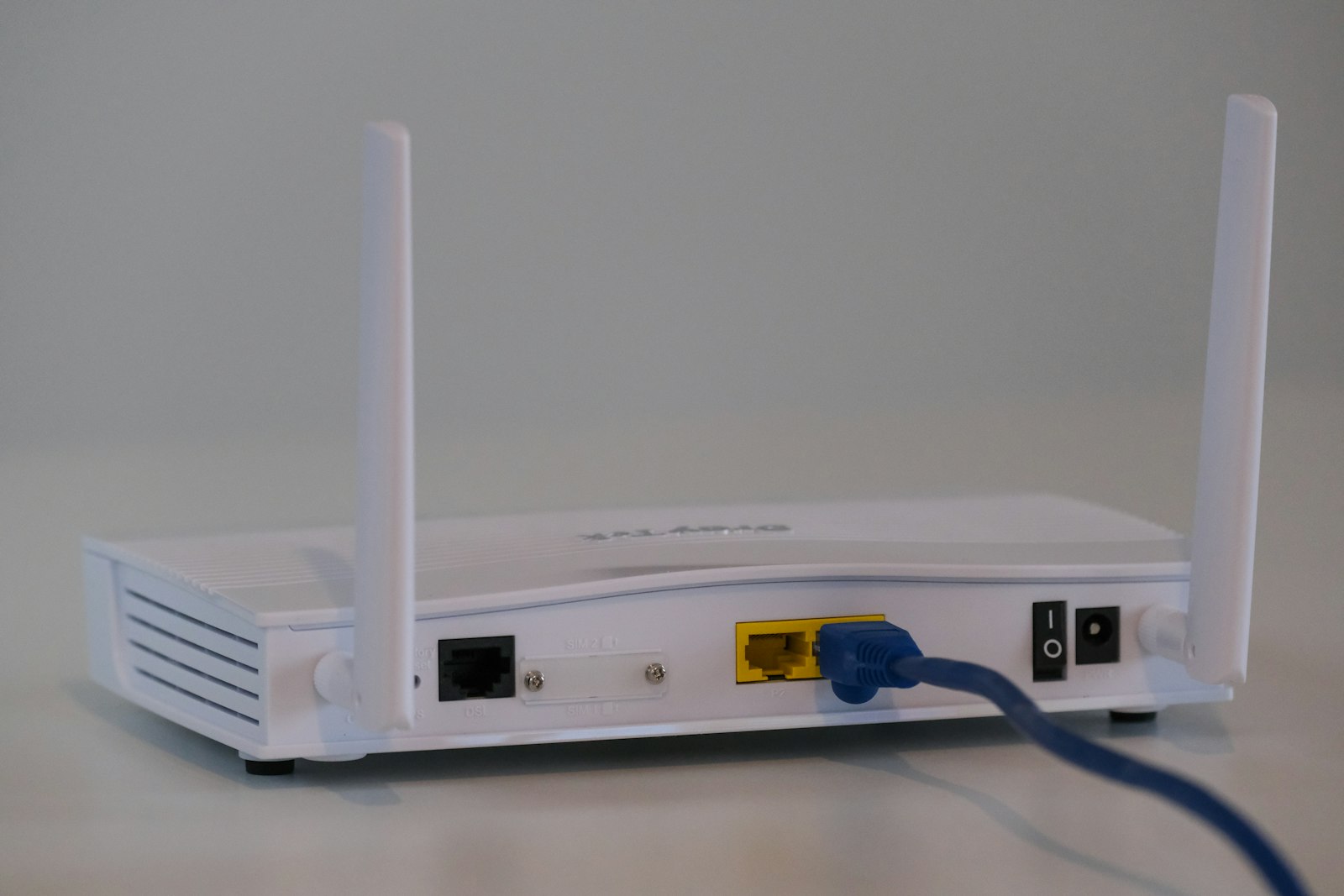
Buying the router with the biggest number on the box doesn’t fix a dead zone in the back bedroom. That’s the most common mistake people make when they finally get fed up with weak Wi-Fi: they replace a single router with a faster single router, and the signal still doesn’t reach the far end of the house. Mesh Wi-Fi systems solve a different problem entirely. Instead of one powerful transmitter, a mesh system spreads two or more small units around your home that work together as a single network, handing your phone or laptop off between them as you move without ever dropping the connection. Here’s a roundup of the systems worth considering right now, built from official specs and independent lab testing rather than hands-on use in our own homes.
Why a Mesh System Beats a Single Router
A traditional router has to push its signal through walls, floors, and furniture from one fixed spot, which is why coverage drops off sharply the farther you get from it. A mesh system’s satellite units act as relay points, each one rebroadcasting the signal to the next, so a large or oddly shaped home gets consistent coverage instead of one strong room and several weak ones. Most current systems also use a dedicated backhaul band, a separate wireless channel just for the units to talk to each other, so adding more satellites doesn’t slow down the connection your devices actually use.
TP-Link Deco BE63 — Best Value Pick
The Deco BE63, part of TP-Link’s Deco 7 Pro lineup, is a tri-band Wi-Fi 7 system rated at up to 10 Gbps combined throughput, and a 2-pack currently lists for around $300, notably less than most other Wi-Fi 7 mesh systems on the market. Independent lab testing from RTINGS’ mesh Wi-Fi testing roundup names it among the top mesh systems tested for the price, which makes it a reasonable starting point for anyone who wants current Wi-Fi 7 hardware without paying a premium-tier price for it.
eero Max 7 — Best for Maximum Performance
Amazon’s eero Max 7 sits at the opposite end of the price range, launching at $599.99 for a single unit and roughly $1,150 for a 2-pack, though street pricing on multi-packs fluctuates with frequent sales. Each unit covers up to 2,500 square feet and supports up to 200 connected devices, with wired speeds up to 9.4 Gbps over its 10-gigabit Ethernet ports. It also doubles as a smart-home hub, with a built-in Thread border router and Zigbee radio, useful if you’re already building out connected devices around the house. This is the pick for a large home with a genuinely fast internet plan to match, not a budget option.
Netgear Orbi 770 — Best for Large Homes
The Orbi 770 series leans hard into raw coverage: a 2-pack lists at $549.99 and covers up to 5,500 square feet, with a rated combined speed of up to 11 Gbps and support for up to 100 devices. It’s aimed squarely at bigger houses where a couple of standard mesh units still leave gaps, without going all the way to the higher price of eero’s flagship tier.
Google Nest Wifi Pro — Easiest to Set Up
Not every home needs the newest wireless standard. Google’s Nest Wifi Pro runs on Wi-Fi 6E rather than Wi-Fi 7, starts at $199.99 for a single unit, and covers roughly 2,200 square feet per unit, with combined speeds up to 5.4 Gbps. What it trades in raw speed it makes up for in simplicity: setup runs entirely through the Google Home app, and it works as a Thread border router for Google/Matter-based smart home devices without any extra configuration. For a typical apartment or mid-sized house where the internet plan itself is well under a gigabit, this is the system that’s hardest to get wrong.
How to Pick Between Them
The honest starting point is your internet plan’s actual speed, not the router’s marketing number. A gigabit connection or slower will never come close to saturating any of these systems, Wi-Fi 6E included, so paying a premium for Wi-Fi 7 mainly buys you future-proofing and better performance between devices on your own network, not necessarily faster internet browsing today. Home size matters more directly: measure the actual square footage you need covered and compare it against each system’s per-unit or per-pack coverage rating rather than assuming more expensive automatically means more coverage. And if you already use Matter or Thread smart-home devices, a system with a built-in Thread border router, like the eero Max 7 or Nest Wifi Pro, saves you from adding a separate hub down the line.
None of this requires understanding the technical details of how the Wi-Fi 7 standard actually improves on its predecessors to make a good decision, but it’s worth a skim if you want to know exactly what you’re paying extra for when a box says Wi-Fi 7 instead of Wi-Fi 6E.
FAQs
Do I need Wi-Fi 7 for a mesh system to be worth buying?
No. Wi-Fi 7 mainly helps with very high-bandwidth local tasks and future-proofing, not everyday internet browsing on a typical home plan. A Wi-Fi 6E system like the Nest Wifi Pro covers most households’ actual needs at a lower price.
How many mesh units do I actually need?
Most manufacturers rate coverage per unit, so start by comparing your home’s square footage to that rating. A single unit works for a small apartment, while a 2-pack or 3-pack is typically needed for anything above roughly 2,000-2,500 square feet or a home with multiple floors.
Can I mix and match mesh units from different brands?
Generally no. Mesh systems from different manufacturers use proprietary coordination between their own units, so a Netgear satellite won’t work with a TP-Link router. Stick to one manufacturer’s ecosystem for a given system.
Will a mesh system slow down my internet speed?
A well-designed mesh system with a dedicated backhaul band shouldn’t meaningfully reduce your speed compared to a single router, and can improve real-world speed in far rooms where a single router’s signal was already weak. Cheaper systems without a dedicated backhaul channel can see more slowdown as you add units.
Do mesh Wi-Fi systems work well for gaming?
Yes, as long as the system supports wired backhaul or a strong dedicated wireless backhaul band, and your console or PC is reasonably close to a unit or connected via Ethernet. Wireless mesh hops can add a small amount of latency compared to a direct wired connection, which matters more for competitive gaming than for streaming or browsing.










Discussion about this post