

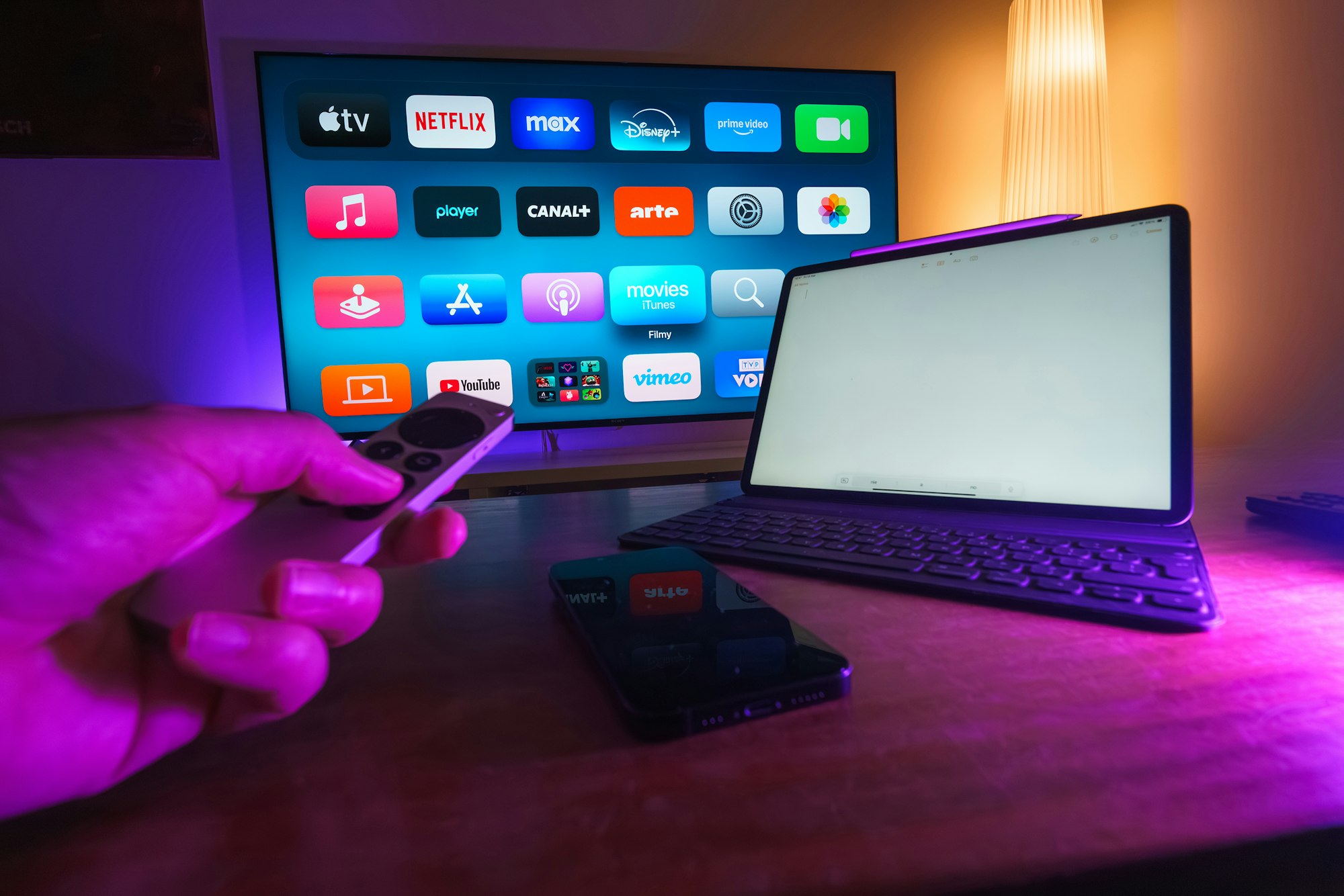
Here’s a surprising habit that’s easy to overlook: plenty of people who already own a smart TV with Netflix and YouTube built in still go out and buy a separate streaming device to plug into it. That’s not wasted money. A TV’s built-in smart platform is often the first thing to fall behind, apps stop getting updated, the interface lags, and new services can be slow to arrive, while a dedicated streaming stick or box gets years of dedicated software support the TV itself never will. If you’re deciding which one to buy, here’s how the current lineup actually compares.
Why a Separate Streaming Device Still Makes Sense
Smart TVs bundle their streaming software with hardware that’s rarely powerful enough to keep up for more than a couple of years, and manufacturers have far less incentive to keep updating a TV’s operating system than a company that sells streaming devices as its core product. A $40-80 streaming device swaps in fresh, fast software on top of a TV you might keep for a decade, which is often the better trade than replacing the whole television just because its apps have gotten sluggish.
Roku: The Simplest Interface
Roku’s lineup runs from the basic Roku Streaming Stick at $39.99 up through the Streaming Stick Plus at $59.99, the Streaming Stick 4K at $79.99, and the Roku Ultra at $149.99, which adds a faster processor and an Ethernet port for a more stable connection than Wi-Fi alone. These are current list prices; retailers frequently discount below them, so it’s worth comparing against a live listing before buying. Roku’s interface is consistently the easiest to hand to a less tech-comfortable family member, since it’s built entirely around a single home screen of app icons rather than a heavily promoted content feed.
Amazon Fire TV: The Value Pick, With a Caveat
Amazon’s Fire TV Stick lineup remains the cheapest entry point, with the Fire TV Stick Lite at $29.99 and the higher-end Fire TV Stick 4K Max around $59.99, plus the Fire TV Cube at $139.99 for people who want a more powerful, hands-free voice-controlled box. The caveat worth knowing: Amazon has been shifting some of its newer Fire TV devices onto a new operating system called Vega OS, which drops support for sideloading apps outside Amazon’s own store, a capability some Fire TV owners have relied on for years. If that flexibility matters to you, it’s worth checking which OS a specific model ships with before buying rather than assuming every Fire TV Stick works the same way as older ones.
Apple TV 4K: Best for an Apple Household
Apple sells its Apple TV 4K in two configurations: a 64GB Wi-Fi-only model at $129 and a 128GB model with Wi-Fi and Gigabit Ethernet at $149, both built around the A15 Bionic chip with a USB-C Siri Remote. It’s the most expensive entry point in this lineup, and the extra cost buys tighter integration with iPhones and other Apple devices, AirPlay, HomeKit control, and Thread support on the higher storage tier, rather than a meaningfully different streaming experience for someone outside that ecosystem.
Google TV Streamer: Best for Android and Google Households
Google’s Google TV Streamer, the successor to the older Chromecast line, costs $149.99 and ships with 32GB of storage, built-in Ethernet, and Thread support for smart home devices. Its standout feature is Gemini for TV, a voice assistant Google says can help find something to watch, answer general questions, and control smart home devices directly from the remote, going well beyond the older Google Assistant’s media-only focus. It’s the strongest pick if your phone, smart home devices, and other gadgets already run on Google’s ecosystem rather than Apple’s or Amazon’s.
How to Actually Choose
The honest shortcut is to match the device to whatever ecosystem you’re already using for your phone and smart home gadgets, since that’s where the extra integration features actually pay off, rather than chasing whichever box benchmarks fastest. If you’re gaming through a service like GeForce NOW or Xbox Cloud Gaming on the same TV, it’s worth checking our comparison of cloud gaming services too, since a few streaming boxes double as light game-streaming clients. And if the device will sit alongside other connected gear, our guide to smart home devices covers how these boxes typically fit into a broader setup.
One thing worth checking regardless of brand: a 4K streaming device is only as good as the network feeding it. If your home has more than a handful of connected devices competing for bandwidth, our explainer on Wi-Fi 7 covers when upgrading your router actually helps and when it doesn’t.
FAQs
Do I need a streaming device if my TV is already a smart TV?
Not strictly, but it often improves the experience meaningfully. Built-in smart TV software tends to slow down and stop receiving updates well before the television itself wears out, while a dedicated streaming device gets years of focused software support independent of the TV’s age.
Which streaming device has the best picture quality?
Picture quality is mostly determined by your TV, not the streaming device, as long as the device supports the same resolution and HDR formats the TV does. All four options covered here support 4K HDR, so the differences between them come down to interface, ecosystem features, and price rather than image quality.
Is it worth paying more for the Roku Ultra or Fire TV Cube instead of a basic stick?
Mainly if your home network struggles with Wi-Fi interference, since the higher-end models add Ethernet ports and faster processors, or if you specifically want hands-free voice control. For a straightforward setup with a solid Wi-Fi signal, a basic streaming stick handles most people’s needs just as well.
What is Vega OS, and should it affect which Fire TV Stick I buy?
Vega OS is Amazon’s newer operating system rolling out on some newer Fire TV devices, and it removes the ability to sideload apps from outside Amazon’s own store. If you rely on sideloaded apps, check which operating system a specific Fire TV model runs before buying rather than assuming it matches older Fire TV Sticks.
Can I use more than one streaming device on the same TV?
Yes, most TVs have multiple HDMI ports, so there’s nothing stopping you from keeping, say, a Roku on one input and an Apple TV on another if different household members prefer different ecosystems.







Discussion about this post