

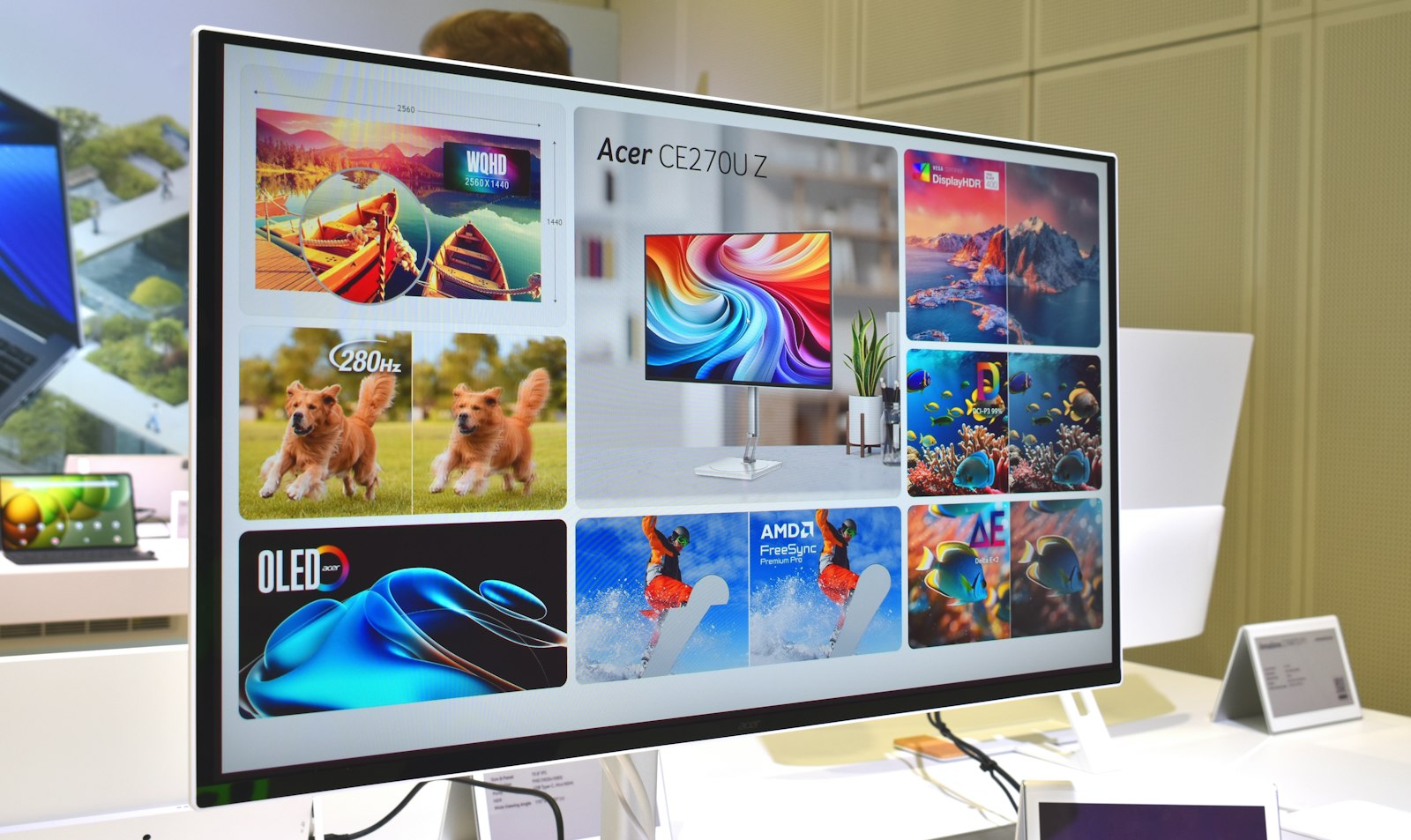
A game running HDR at the entry-level VESA certification tier can be dimmer, at its brightest highlight, than a mid-range SDR monitor running flat out. That’s the kind of gap a glowing “HDR” sticker on a monitor box never tells you about, and it’s exactly why two displays both marketed as HDR-ready can look completely different sitting side by side with the same game loaded. HDR gaming only delivers on its promise when the display behind it clears a real brightness and contrast bar, not just a checkbox in a spec sheet.
What HDR Changes On Screen
Standard dynamic range video and games are built around a fairly narrow brightness and color range that every display from the last few decades could reproduce reasonably well. High dynamic range expands both ends of that range at once: brighter highlights, deeper shadow detail, and a wider slice of visible color, so a sunset, a muzzle flash, or a neon sign in a game can carry far more contrast between its brightest and darkest parts than SDR allows. The effect is most noticeable in scenes built around strong lighting contrast, and least noticeable in flatly lit or stylized games where that extra range has little to show off.
Why the DisplayHDR Certification Number Matters
Because “HDR” itself is not a protected or standardized claim, VESA runs a separate certification program, DisplayHDR, specifically to put a measurable floor under the term. Per VESA’s own published testing criteria, DisplayHDR 400 requires a minimum peak luminance of 400 cd/m² (measured on an 8% center patch), while DisplayHDR 600 steps that up to 600 cd/m² with a tighter black-level requirement, and the top standard tier, DisplayHDR 1400, requires 1400 cd/m² alongside a far stricter black-level ceiling than the lower tiers. A separate DisplayHDR True Black line of tiers, aimed at OLED and other self-emissive panels, trades some peak brightness for dramatically lower black levels instead, since those panels can already turn individual pixels fully off. In practice, DisplayHDR 400 is a low bar that a growing number of reviewers and shoppers treat as barely different from a good SDR panel, while 600 and above is generally where the format starts to look like what the marketing promises.
HDR On a Game Console Versus a Gaming PC
Console HDR support is largely locked to whatever the manufacturer built into that generation’s hardware and operating system, with the television or monitor doing the actual tone mapping based on its own certified brightness range. A gaming PC adds an extra layer: the graphics card, the game engine, and Windows itself all have to agree on how HDR gets handled before the display ever sees a signal, which is part of why HDR on PC has historically had a rockier reputation than HDR on a living-room TV hooked up to a console.
Auto HDR: Bringing Older Games Along for the Ride
Most HDR implementations only work in games built to support it directly, which leaves a large back catalog of older titles stuck in SDR even on an HDR-capable display. Windows addresses part of that gap with a feature called Auto HDR. According to Microsoft’s own support documentation, turning Auto HDR on automatically increases the color range and brightness of older SDR-only games, often ones built on DirectX 11 or DirectX 12, to approximate an HDR look on a connected HDR-capable display. It’s a Windows 11 feature, turned on from Settings > System > Display by selecting the HDR-capable screen, enabling HDR, and then switching on Auto HDR in the expanded HDR section. It’s not identical to a game that was built around HDR from the start, since it’s reconstructing the effect rather than using data the developer tuned by hand, but it’s a meaningful upgrade for a library of older games that will likely never get a native HDR patch.
What to Check Before Buying an “HDR Gaming” Display
Treat the DisplayHDR certification tier as the first number to check, well ahead of contrast ratio marketing claims or the bare word “HDR” printed on a box with no tier attached. From there, a few other specs change how much that certification matters day to day: local dimming zone count on an LED panel (more zones generally means more precise control over bright and dark areas appearing close together on screen), whether the panel is OLED or mini-LED (which changes which DisplayHDR line applies), and the input bandwidth of the port you’ll connect through, since an older HDMI port can bottleneck a high-resolution, high-refresh-rate HDR signal before the panel’s own certification becomes the limiting factor. Our monitor buying guide covers panel type and port bandwidth in more depth if you’re shopping for a display from scratch.
HDR Doesn’t Work in Isolation From Other Rendering Settings
HDR rarely shows up alone in a game’s graphics menu; it typically sits next to settings that change how demanding the game is to render in the first place. Ray tracing is the most direct example, since it’s often the setting producing the kind of high-contrast, reflective lighting that HDR is best at displaying. Because both features add real GPU load, many players lean on DLSS or FSR upscaling to recover the frame rate that ray tracing and HDR both cost, and a variable refresh rate feature like G-Sync or FreeSync helps keep that frame rate feeling smooth once it’s fluctuating rather than locked at a fixed number.
FAQs
Does every monitor or TV labeled “HDR” look noticeably different from SDR?
Not reliably. A display with no real DisplayHDR certification, or only the entry-level DisplayHDR 400 tier, can look only marginally different from a good SDR panel. Checking the specific certification tier, rather than trusting the word “HDR” alone, is the more reliable way to judge a display before buying.
What’s the difference between DisplayHDR and DisplayHDR True Black?
Standard DisplayHDR tiers emphasize peak brightness and are built around LED-backlit panels, while DisplayHDR True Black tiers are designed for OLED and other self-emissive panels that can turn individual pixels fully off, so they require much lower black levels at somewhat lower peak brightness instead.
Do I need a specific graphics card to use HDR in games?
HDR output depends mainly on the display, the connection, and the operating system or console supporting it, rather than requiring a specific graphics card tier on its own. That said, pairing HDR with demanding settings like ray tracing does benefit from a more capable GPU to maintain a playable frame rate.
Does Auto HDR work on every older game?
Microsoft’s own documentation doesn’t list it as universal, and frames it as a way to bring older SDR-only games, often ones built on DirectX 11 or DirectX 12, into something closer to an HDR look. Results can vary by title since the effect is reconstructed rather than built into the original game.
Is a higher DisplayHDR number always worth paying extra for?
It depends on the kind of content you watch or play most. Games and movies with strong lighting contrast, like neon-lit scenes or dark environments with bright highlights, show the benefit of a higher tier clearly, while flatly lit or stylized content may not look dramatically different between a mid and a high DisplayHDR tier.












Discussion about this post