

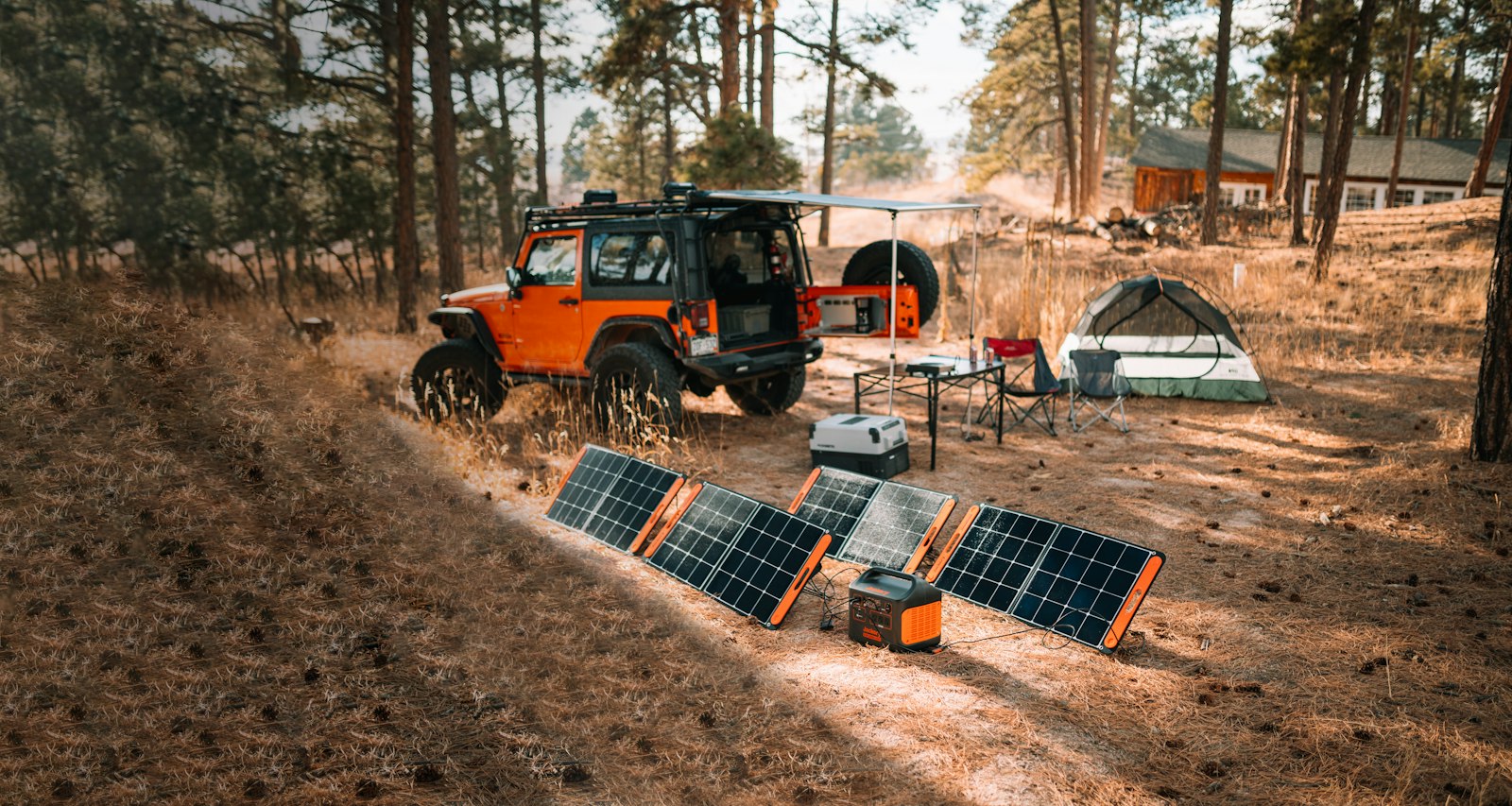
A portable power station is a big rechargeable battery with built-in outlets, and choosing one mostly comes down to matching three numbers to what you plan to run: how much energy it stores, how much power it can deliver at once, and how fast you can refill it. This portable power station buying guide covers each of those, plus the battery chemistry and port details that separate a useful unit from an expensive paperweight.
Start With Watt-Hours, Not Marketing Names
Capacity is measured in watt-hours (Wh), the amount of energy the battery holds. The sizing formula is simple, and Anker’s own power station buying guide gives it as watts required multiplied by hours of use equals total capacity needed. Its worked example is a 512Wh unit running a 10W LED bulb for roughly 50 hours, or a 45W mini fridge for about 10 hours.
Treat those figures as best-case. Converting battery power into household AC power wastes some energy, so real runtime will usually come in below the arithmetic. A sensible habit is to add a cushion of 20 to 30 percent to your estimate. That margin is a rule of thumb of mine, not a figure from the manufacturer.
To estimate your own needs, find the wattage printed on each device’s label, multiply by the hours you expect to run it, and add the results. A phone charges on a few tens of watt-hours; a laptop needs somewhat more; a CPAP machine, a small fridge, or a space heater sits in a different league entirely.
Output Watts: Rated Power and Surge
Capacity tells you how long; output tells you what you can plug in at the same time. Anker’s guide notes that the combined AC output, measured in watts, sets the maximum load, and everything connected together cannot exceed it. Its examples include a 500W unit and a 1,500W unit.
Check whether a listed figure is a continuous rating or a short surge rating. Motors and compressors, such as those in a fridge, a pump, or a power tool, draw a burst of extra power when they start. A unit with a high surge rating can ride through that; one without it may shut down. Anker’s page does not break this distinction out, so look for it on the spec sheet of any model you consider.
Heating appliances are the usual trap. Kettles, hair dryers, toasters, and space heaters pull more power than most mid-sized units can supply, and they drain a battery quickly even when they can run at all.
Battery Chemistry: LiFePO4 vs Standard Lithium-Ion
Many newer power stations use lithium iron phosphate (LiFePO4) cells in place of the nickel-based lithium-ion cells common in older designs. LiFePO4 is generally promoted for longer life and good thermal stability. Anker’s guide claims its LiFePO4 models reach 3,000 charge cycles compared with roughly 500 for similar products using other lithium chemistry. Those are vendor claims without stated test conditions, so use them to compare warranty terms and cycle ratings across brands rather than as a guarantee.
The trade-off is usually weight and bulk, since LiFePO4 packs tend to be heavier for the same capacity. If you plan to carry the unit far, that matters. If it will mostly sit in a garage as outage backup, it matters much less. For where battery technology may be heading, see our explainer on solid-state batteries.
Ports: Match the Plugs to Your Gear
Count the outlets you need, then check the types. AC sockets handle household devices; USB-A covers older phones and accessories; and USB-C matters most for modern laptops and phones because it can deliver higher power. If you rely on fast charging, read the USB-C wattage rather than the port count. Our guide to USB-C charging explains why two ports that look identical can behave very differently. A car-style DC socket is useful for 12V accessories like portable coolers.
Recharging: Wall, Car, and Solar
A big battery is only useful if you can refill it. Wall charging is the fastest, and Anker’s comparison table lists recharge times from about 1.5 hours to 4.5 hours depending on the model. Car charging is slower but handy on the road. Solar input depends on the unit’s maximum accepted wattage and voltage range, which varies widely, so confirm the numbers before buying panels. Anker’s guide says its recent models can recharge via solar panels through a USB-C port but does not list the maximum solar input, which is one reason to read the full spec sheet.
Pass-through charging, where you can power devices while the unit recharges, is worth checking if you want it as a backup that stays plugged in.
Safety and Where to Use It
One real advantage over a gas generator is that a battery unit produces no exhaust. The U.S. Consumer Product Safety Commission’s Carbon Monoxide Information Center covers the hazard from fuel-burning generators, which should never run inside a home or garage. Battery stations avoid that risk, but they still get warm, so give them ventilation, keep them dry, and follow the manufacturer’s temperature limits for charging and storage.
If your needs are smaller than a full power station, a power bank may do the job. Our roundup of portable chargers covers that end of the market.
FAQs
How many watt-hours do I need in a portable power station?
Multiply the wattage of each device by the hours you want to run it, add the totals, and then add a cushion for conversion losses. Phones and laptops need modest capacity; refrigerators and medical devices need much more.
What is the difference between rated watts and surge watts?
Rated watts are what the unit can supply continuously, while surge watts are a short-term peak that helps start motors and compressors. Check both on the spec sheet, since surge figures are not always prominent.
Is LiFePO4 better than regular lithium-ion for a power station?
It is generally promoted for longer cycle life and stability, though it can be heavier. Manufacturer cycle claims are not independently verified, so compare warranties as well.
Can a portable power station run a refrigerator?
Often yes, if the output and surge rating cover the compressor start-up and the capacity matches your outage length. Anker’s example is a 45W mini fridge running about 10 hours on a 512Wh unit, but full-size fridges need considerably more.
Can I charge a power station with solar panels?
Many models accept solar input, but each has limits on voltage and wattage. Check the unit’s maximum solar input and match your panels to it before buying.









Discussion about this post