

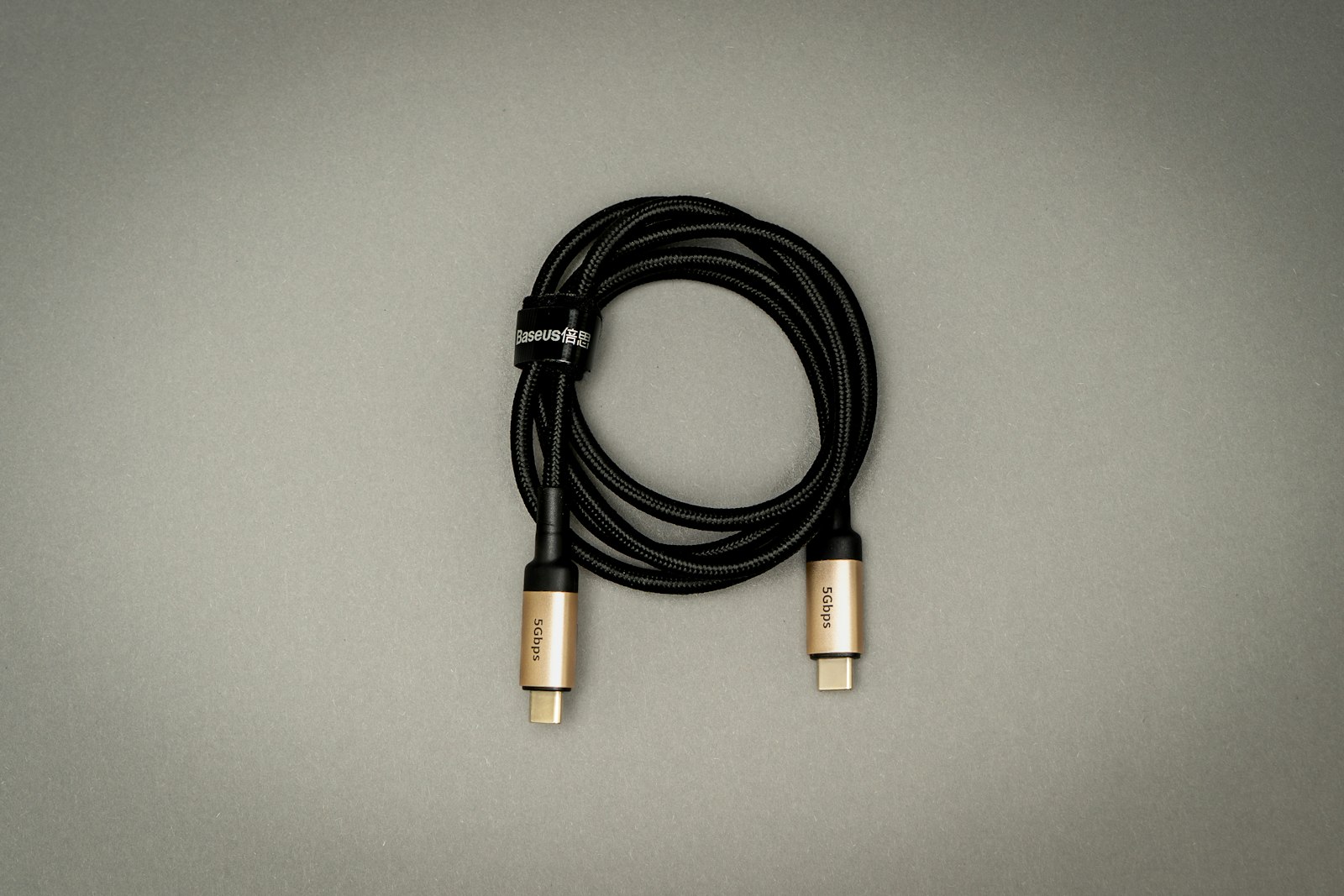
Plug any USB-C cable into any USB-C device, and it’ll charge — that’s the whole point, right? Not quite. USB-C charging has genuinely become the universal standard most people assume it already was, but the assumption that any USB-C cable does exactly the same job as any other is where things get misleading. A $5 cable and a $25 cable can look identical and behave completely differently, one capping out at a slow trickle charge and basic data transfer, the other pushing enough power to fast-charge a laptop. The connector shape became universal well before what runs through it did.
USB-C Is a Shape, Not a Speed
USB-C refers to the physical connector: the small, reversible oval port that’s replaced the old rectangular USB-A and micro-USB shapes on most modern phones, tablets, and laptops. But the connector itself doesn’t guarantee any particular charging speed or data transfer rate — those depend on which underlying protocol a specific cable and device support, which is why two visually identical cables can perform very differently. A cheap cable built only for basic charging and USB 2.0-speed data transfer looks the same from the outside as one built for 240W charging and full USB4 data speeds.
USB Power Delivery: The Protocol Doing the Real Work
The technology that actually negotiates how much power flows through a USB-C cable is called USB Power Delivery, or USB PD. Per USB-IF’s own specification page, the body that governs the USB standard, the current version supports up to 240 watts over a USB-C cable and connector, up sharply from the 100W ceiling of earlier versions. The charger and device communicate automatically to agree on the right voltage and current for that specific device, rather than forcing a fixed output the way older proprietary chargers did. That negotiation is also why a high-wattage charger won’t overpower a phone that only needs 25W: the phone requests what it needs, and the charger supplies it.
Why the EU Forced the Issue
USB-C’s dominance isn’t purely a market outcome — regulation accelerated it. Per the European Commission’s own common charger rule, USB-C became mandatory for phones, tablets, cameras, headphones, and several other small device categories sold in the EU as of December 28, 2024, and the requirement extended to laptops on April 28, 2026. The rule also mandates harmonized fast-charging behavior, so a device charges at the same speed regardless of which compliant charger it’s plugged into, rather than a manufacturer artificially slowing charging with anything but its own branded charger. It’s a large part of why even historically proprietary-connector companies, Apple included, moved their entire phone lineup to USB-C.
Why Cables Still Aren’t All the Same
Even with one connector shape and one governing power standard, cable quality genuinely varies. Higher-wattage cables need thicker internal wiring and, above 60W, an embedded “e-marker” chip that identifies the cable’s safe power limit to the device — without it, charging is capped regardless of what the charger itself can output. Data speed varies just as much: a cable built for basic USB 2.0 transfers data at a small fraction of what a USB4-rated cable moving files at up to 40 gigabits per second can manage, even though both plug into the exact same port. None of that is visible by looking at the cable, which is why checking the manufacturer’s stated wattage and data-speed rating before buying matters more than the connector shape alone.
What This Means for Buying Gear
In practice, this shift is a net win: fewer proprietary bricks cluttering a drawer, and a single charger that can reasonably cover a phone, tablet, and increasingly a laptop too, similar to the range covered in our monitor buying guide for display-side USB-C considerations. It also means older devices are catching up gradually rather than all at once — our guide to the current smartphone lineup covers which phones have made the full switch, and connectivity shifts like eSIM adoption are part of the same broader move toward fewer physical parts to keep track of. The practical habit worth building is simple: check the wattage rating printed on a cable or charger before assuming it’ll fast-charge a laptop, and don’t assume a cable that came with a phone is rated for anything more demanding.
FAQs
Can I use any USB-C charger for my laptop?
Only if both the charger and the cable are rated for enough wattage. Most laptops need somewhere between 45W and 140W depending on the model, and a phone charger rated for 20-25W simply won’t deliver enough power to charge a laptop at a usable speed, even though the connector fits.
Why does my USB-C cable charge slowly even with a fast charger?
The cable itself is very likely the bottleneck. Cables rated only for basic charging, often the thin ones bundled with budget accessories, cap power delivery well below what a capable charger can output, regardless of the charger’s own rating.
Is USB-C the same as USB4?
No. USB-C describes the connector’s physical shape, while USB4 is one of several data-transfer protocols that can run through that same connector. A device or cable can be USB-C without supporting USB4’s higher data speeds at all.
Do all new laptops have to use USB-C now?
In the European Union, yes, as of April 28, 2026, under the common charger rule. Outside the EU, USB-C has become the dominant standard through market adoption rather than a legal requirement, though most major laptop makers have already made the switch anyway.
Why did Apple switch iPhones to USB-C?
Apple’s move to USB-C on iPhones was driven largely by the EU’s common charger rule, which required USB-C on phones sold in the EU starting in late 2024. Rather than maintain a separate connector for one market, Apple standardized on USB-C across its global iPhone lineup.











Discussion about this post